OSX App
Native macOS application for creating, editing, and managing data contracts
OSX App
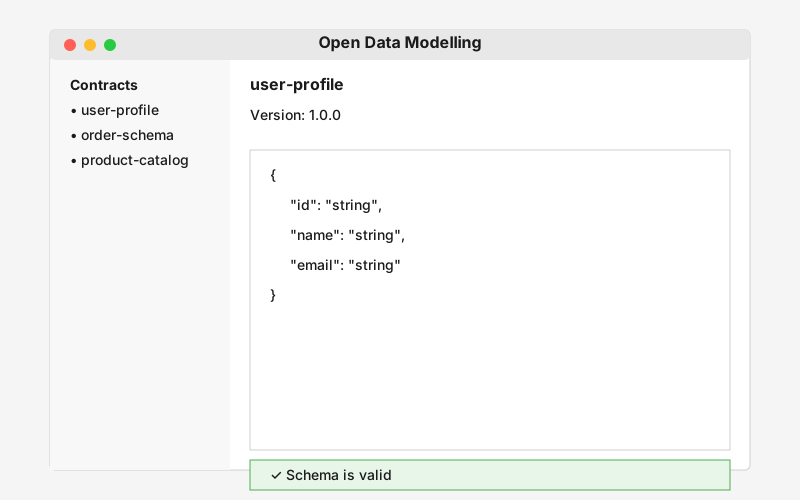
The Open Data Modelling OSX App is a native macOS application that provides an intuitive graphical interface for creating, editing, and managing data contracts. Perfect for Mac users who prefer desktop applications with native performance and integration.
Features
Visual Contract Editor
- Drag-and-drop interface for schema design
- Real-time validation feedback
- Syntax highlighting and code completion
- Visual schema representation
Contract Management
- Local and cloud storage options
- Version history and comparison
- Search and filtering capabilities
- Export to multiple formats
Integration
- Native macOS file system integration
- Share extensions for other apps
- Command-line tools integration
- Cloud sync support
User Experience
- Native macOS design language
- Dark mode support
- Keyboard shortcuts and accessibility
- Multi-window support
Getting Started
Installation
Download the latest version from the GitHub releases page or install via Homebrew:
brew install --cask opendatamodelling
First Steps
- Launch the App: Open Open Data Modelling from your Applications folder
- Create a Contract: Click “New Contract” to start
- Design Your Schema: Use the visual editor or code view
- Validate: Test your contract with sample data
- Save: Store your contract locally or in the cloud
Screenshot
Documentation
Current Version: v1.1.0
For detailed documentation, user guides, and release notes, visit the frontend repository:
- Frontend v1.1.0 README - Release documentation
- Frontend v1.1.0 CHANGELOG - What’s new in v1.1.0
System Requirements
- macOS 11.0 (Big Sur) or later
- 4GB RAM minimum (8GB recommended)
- 500MB disk space
Use Cases
- Data Engineers: Visual schema design and management
- Business Analysts: User-friendly contract creation
- Developers: Quick contract prototyping and testing
- Teams: Collaborative contract development
Related Tools
- Data Modelling SDK - Programmatic access
- Data Modelling CLI - Command-line format conversion tool
- Web App - Browser-based alternative
Support
For issues, feature requests, or contributions, please visit the GitHub repository.